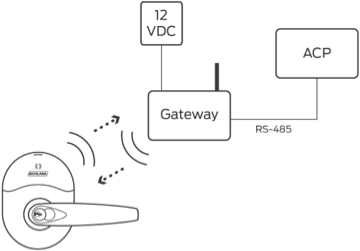
This guide provides comprehensive information for PACS partners to integrate support for the new ENGAGE Gateway 2 (GWE2) into their software solutions.
Executive Summary: Important Action Required
Orders for GWE will no longer be able to be placed after April 2026. Only GWE2 will be available for order/purchase after that time. Transitioning to support both GWE and GWE2 is important as soon as possible to ensure continued support for your customers for future hardware orders that require a gateway.
The Gateway Model identifier is changing for IP mode API integrations from gwe to gwe2. This is a breaking change.
The number of devices linked to each gateway is reduced from 10 to 5, optimized for better performance and reliability. This change will impact less than 0.5% of installations. Allegion will help make this transition easy for impacted deployments.
Allegion is introducing the ENGAGE Gateway 2 (GWE2), the next generation of the ENGAGE Gateway. The GWE2 is a drop-in replacement for the existing GWE and can be used in any deployment scenario where a GWE would have been used.
To support the new GWE2 gateway, PACS software must be updated to recognize and work with the new model type. The changes required are minimal and focused primarily on:
Recognizing the new gwe2 model identifier in API requests and responses
Updating any hardcoded references from gwe to support both gwe and gwe2
Ensuring TLS 1.2 or higher is used for secure communications
Good News: Existing GWE Units Continue to Function
Existing GWE devices deployed in the field will continue to operate normally.
There are hundreds of thousands of GWEs currently in operation, and Allegion
will continue to fully support these devices - including firmware updates -
for the foreseeable future. This adoption is about supporting new hardware
orders going forward.
The GWE2 represents hardware improvements to the ENGAGE Gateway platform, including:
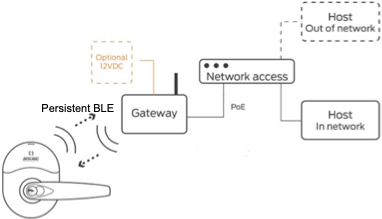
Improved Bluetooth performance – BLE 5.1 (upgraded from BLE 4)
Enhanced security – TLS 1.2 and 1.3 only (older, compromised protocols removed)
WPA3 wireless security – Modern wireless security for mobile app commissioning
Optimized edge device connectivity – Support for up to 5 edge devices per gateway, optimized for better performance and reliability
Improved antenna design – Smaller form factor (2.5 inches vs 3.5 inches) with equivalent signal strength
Component End-of-Life
The transition to GWE2 is driven by the end-of-life (EOL) of the SiLabs
BLE112 chipset used in the current GWE. Since the BLE112 is no longer
available, and given the need to enhance gateway performance, introducing the
GWE2 becomes both a necessity and an opportunity for improvement.
As manufacturing transitions to GWE2, stock of the original GWE will deplete. To ensure your customers can continue to purchase gateways for new installations after April 2026, your PACS software must support GWE2.
The GWE2 adoption process is designed to be straightforward and self-service. Allegion Developer Success will guide you through each step, but we’ve minimized meetings and overhead so your team can focus on the integration work.
Here’s the end-to-end process for adopting GWE2 support:
flowchart LR
  A((KickOff
Meeting))
  B[Review
Docs/Guide
This guide]
  C[Request
Test
Devices
Ticket]
  D[Make Required
Code Changes
& Test]
  E[Complete &
Send Attestation
to Allegion
Ticket]

  A --> B --> C --> D --> E

  style A fill:#CD6620,stroke:#CD6620,color:#fff
  style B fill:#CD6620,stroke:#CD6620,color:#fff
  style C fill:#CD6620,stroke:#CD6620,color:#fff
  style D fill:#CD6620,stroke:#CD6620,color:#fff
  style E fill:#CD6620,stroke:#CD6620,color:#fff
A brief introductory call with your Allegion Business Development Manager and an Allegion Developer Success resource to review the adoption timeline, answer initial questions, and confirm your integration change requirements. This is typically a 30-60 minute call.
Review Docs/Guide
You’re already here! Review this adoption guide to understand the technical changes required. The documentation covers everything you need—API changes, code examples, and testing guidance.
Request Test Devices
Submit a support ticket to request GWE2 test hardware. See the Requesting Test Devices section for detailed instructions.
Make Required Code Changes & Test
Implement the integration changes outlined in the How-To Guide section. Test thoroughly with your GWE2 hardware.
Complete & Send Attestation to Allegion
Once testing is complete, fill out the GWE2 Adoption Attestation Sheet and submit it via support ticket.
Self-Service by Design
This process is intentionally lightweight. There are no recurring weekly
project meetings or lengthy validation cycles. You have access to all
documentation and can proceed at your own pace. Allegion Developer Success is
available via ticket if you encounter issues or have questions.
Supported via RSI ACP in Q2 2027; via ENGAGE Mobile App today (BLE)
Minimal Impact
RSI Protocol
Full RSI support
Identical RSI support
No Change
Websockets Support
Full support
Identical support
No Change
Supported Edge Devices
NDE, LE, NDEB, LEB, Control, CTE, RMRU
NDE, LE, NDEB, LEB, Control, CTE, RMRU
No Change
About the 5-Device Limit
The GWE2 supports a maximum of 5 edge devices per gateway, compared to 10 for
the original GWE. This change was made to improve performance and reliability
for connected devices. Allegion has found that less than 5% of global
sites are deployed with more than 5 devices connected to a single gateway.
For sites with this configuration, deploying two GWE2 units is the recommended
approach.
This section provides step-by-step guidance for updating your PACS software to support both GWE and GWE2 gateways. Your integration approach determines which changes are required:
If your PACS communicates with the ENGAGE Gateway over IP/Ethernet, you will need to update your code to handle the new gwe2 model identifier.
Key Point
The API changes described below are the ONLY changes required for IP-mode
integrations. All other features, functionality, and API behaviors remain
identical between GWE and GWE2.
Your PACS software should support both GWE and GWE2 simultaneously and for the foreseeable future, as both device types will remain in the field. Here is a recommended pattern:
// Function to determine correct endpoint based on device typefunction getDeviceDefaultsEndpoint(siteReference, deviceType) { const modelType = deviceType.toLowerCase(); // 'gwe' or 'gwe2' return `/engage/sites/${siteReference}/devicedefaults/${modelType}`;}// Function to get firmware endpointfunction getFirmwareEndpoint(deviceType) { const modelType = deviceType.toLowerCase(); // 'gwe' or 'gwe2' return `/engage/firmware/${modelType}`;}// Example: Fetch device defaults for a specific gatewayasync function getGatewayDefaults(siteReference, gateway) { const endpoint = getDeviceDefaultsEndpoint(siteReference, gateway.DeviceType); const response = await fetch(`${ENGAGE_API_BASE}${endpoint}`, { method: "GET", headers: { Authorization: `Bearer ${accessToken}`, "Content-Type": "application/json", }, }); return response.json();}// Example: Handle devices from site, supporting both GWE and GWE2async function processGateways(siteReference) { const devices = await getSiteDevices(siteReference); for (const device of devices) { if (device.DeviceType === "gwe" || device.DeviceType === "gwe2") { console.log( `Processing ${device.DeviceType} gateway: ${device.SerialNumberShort}`, ); const defaults = await getGatewayDefaults(siteReference, device); // Process gateway... } }}
import requestsdef get_device_defaults_endpoint(site_reference: str, device_type: str) -> str: """Determine correct endpoint based on device type.""" model_type = device_type.lower() # 'gwe' or 'gwe2' return f"/engage/sites/{site_reference}/devicedefaults/{model_type}"def get_firmware_endpoint(device_type: str) -> str: """Get firmware endpoint for device type.""" model_type = device_type.lower() # 'gwe' or 'gwe2' return f"/engage/firmware/{model_type}"def get_gateway_defaults(site_reference: str, gateway: dict) -> dict: """Fetch device defaults for a specific gateway.""" endpoint = get_device_defaults_endpoint(site_reference, gateway['DeviceType']) response = requests.get( f"{ENGAGE_API_BASE}{endpoint}", headers={ 'Authorization': f'Bearer {access_token}', 'Content-Type': 'application/json' } ) response.raise_for_status() return response.json()def process_gateways(site_reference: str): """Handle devices from site, supporting both GWE and GWE2.""" devices = get_site_devices(site_reference) for device in devices: if device['DeviceType'] in ('gwe', 'gwe2'): print(f"Processing {device['DeviceType']} gateway: {device['SerialNumberShort']}") defaults = get_gateway_defaults(site_reference, device) # Process gateway...
# Get device defaults for a GWE2 gatewaycurl -X GET "https://engage.allegion.com/engage/sites/{siteReference}/devicedefaults/gwe2" \ -H "Authorization: Bearer YOUR_ACCESS_TOKEN" \ -H "Content-Type: application/json"# Get firmware information for GWE2curl -X GET "https://engage.allegion.com/engage/firmware/gwe2" \ -H "Authorization: Bearer YOUR_ACCESS_TOKEN" \ -H "Content-Type: application/json"
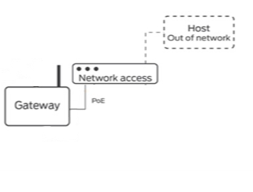
If your PACS communicates with the ENGAGE Gateway via RS-485 (RSI protocol), good news: no code changes are required for RSI-mode integrations.
RSI Mode: No Code Changes Required
In all RSI messages and responses, the GWE2 will continue to be referred to as
“GWE” or “ENGAGE Gateway.” All RSI commands, responses, features, and
functionality remain completely unchanged between GWE and GWE2.
No RSI protocol changes – All commands and responses work identically
All features supported – Everything that works with GWE works with GWE2
Gateway Firmware Updates via ONR – Over-the-network (ONR) firmware reflash via RSI ACP is not supported on GWE2 until Q2 2027. Gateway firmware updates must be performed via the ENGAGE Mobile App over BLE between now and Q2 2027.
Edge Device Firmware Updates from Gateway via ONR – Updating edge device firmware over RSI via the gateway remains fully supported on GWE2
If your RSI integration also uses any ENGAGE Cloud API calls (for site management, etc.), review the IP Mode section for those specific API changes.
The GWE2 only supports TLS 1.2 and TLS 1.3. Older protocols (SSLv3, TLS 1.0, TLS 1.1) are not supported.
Action Required if Using Older TLS Versions
If your PACS software currently uses TLS 1.0 or TLS 1.1 to communicate with
gateways, you must update to TLS 1.2 or higher. This is a security best
practice regardless of GWE2 adoption, as TLS 1.0 and 1.1 are considered
compromised protocols and should not be used for secure communications.
const https = require("https");const tls = require("tls");// Set minimum TLS version to 1.2const agent = new https.Agent({ minVersion: "TLSv1.2", maxVersion: "TLSv1.3",});// Use the agent in your requestsconst response = await fetch(gatewayUrl, { agent: agent,});// Alternative: Set globally for all https requeststls.DEFAULT_MIN_VERSION = "TLSv1.2";
import sslimport requestsfrom requests.adapters import HTTPAdapterfrom urllib3.util.ssl_ import create_urllib3_contextclass TLSAdapter(HTTPAdapter): """Force TLS 1.2 or higher.""" def init_poolmanager(self, *args, **kwargs): ctx = create_urllib3_context() ctx.minimum_version = ssl.TLSVersion.TLSv1_2 ctx.maximum_version = ssl.TLSVersion.TLSv1_3 kwargs['ssl_context'] = ctx return super().init_poolmanager(*args, **kwargs)# Create session with TLS 1.2+ enforcementsession = requests.Session()session.mount('https://', TLSAdapter())# Use the session for your requestsresponse = session.get(gateway_url)
# Force TLS 1.2curl --tlsv1.2 -X GET "https://gateway-ip/gateway/deviceInfo"# Force TLS 1.3curl --tlsv1.3 -X GET "https://gateway-ip/gateway/deviceInfo"# Allow TLS 1.2 or higher (recommended)curl --tlsv1.2 --tls-max 1.3 -X GET "https://gateway-ip/gateway/deviceInfo"
Your PACS software should be able to detect whether a gateway is GWE or GWE2. There are two reliable methods:
Method 1: Check the DeviceType/Model Field (Recommended)🔗
The DeviceType field in API responses and the mdl field in gateway deviceInfo responses will clearly indicate the model:
gwe = Original ENGAGE Gateway
gwe2 = New ENGAGE Gateway 2
function getGatewayModel(device) { // From site devices list if (device.DeviceType) { return device.DeviceType.toLowerCase(); // 'gwe' or 'gwe2' } // From gateway deviceInfo response if (device.gatewayDeviceInfo?.gatewayParameters?.mdl) { return device.gatewayDeviceInfo.gatewayParameters.mdl.toLowerCase(); } return null;}function isGWE2(device) { return getGatewayModel(device) === "gwe2";}
As an alternative or supplementary check, you can detect the model from the serial number prefix:
Serial numbers starting with B1 = GWE (Original)
Serial numbers starting with B2 = GWE2 (New)
function getModelFromSerial(serialNumber) { if (!serialNumber) return null; const serial = serialNumber.toUpperCase(); if (serial.startsWith("B1")) { return "gwe"; } else if (serial.startsWith("B2")) { return "gwe2"; } return null;}
def get_model_from_serial(serial_number: str) -> str | None:
    """Detect gateway model from serial number prefix."""
    if not serial_number:
        return None

    serial = serial_number.upper()

    if serial.startswith('B1'):
        return 'gwe'
    elif serial.startswith('B2'):
        return 'gwe2'

    return None
To test your GWE2 integration, you can request test devices from Allegion Developer Support. Test devices are pre-configured from the factory and ready for commissioning.
About Test Devices
Test devices arrive factory-fresh and are not linked to any locks. They may
not have the latest firmware version installed. We recommend checking for and
installing firmware updates via the ENGAGE Mobile App before beginning your
integration testing.
From the “Please choose a product below” dropdown list, select “Engage”.
Select the Request Type
From the “Type” dropdown list, select “Hardware Shipment Request”.
Enter the Subject
In the “Subject” text field, enter: GWE2 Test Devices
Enter a description
In the “Description” text field, you may enter details about your request, or you may leave this field empty.
Enter the Purpose
In the “Purpose” droplist select: GWE2 Test Adoption
Enter the Target Completion Date
In the “Target Completion Date” date select field, enter the date by which you target completion of integration activities.
Enter the US-based Shipping Address
In the “US-based Shipping Address” text field, enter the address where you would like the test devices to be shipped. This location must be inside of the continental United States.
Enter the Devices Being Requested (including count)
In the “Devices Being Requested” text field, enter the devices you would like to request, including the quantity of each device. Example entry: 2x GWE2 Gateways, 4x NDEB Locks
Complete and Submit
Click “Submit” to open your ticket.
Note
Devices can only be shipped inside of the continental US. For international destinations, devices must be shipped to final destinations by your company.
The Allegion Developer Support team will process your request and follow up with shipping details.
To ensure partners can complete these changes and get in production with GWE2 in a timely manner, the traditional Validation Process will be replaced with a Feature Adoption Attestation Process.
The Attestation Process outlines the specific, limited changes required to support GWE2 and GWE simultaneously and allows partners to self-validate.
Attestation Template
The Attestation Template Sheet can be downloaded in this guide. See the
Support & Resources section for the download link.
GWE2 Adoption Attestation is a simplified version of Allegion’s typical Validation Process, used to confirm that PACS software is fully functional and ready for production use. In this simplified approach to validation, partners will use the GWE2 Adoption Attestation Sheet to affirm they have implemented all necessary requirements to support the GWE2 Gateway.
During attestation, you will:
Review your integration implementation against the attestation sheet requirements
Test your solution to confirm it works correctly with GWE2 devices
Verify that all required functionality operates as expected
Confirm your solution is ready for production deployment
Include a date of attestation and name of the person who completed the sheet at your company
When to Request Attestation Review
Request Attestation Review after your development team has completed the
integration updates and internal testing. You should be able to successfully
commission a GWE2 device and perform all standard operations before requesting
attestation review.
From the “Please choose a product below” dropdown list, select “Engage”.
Select the Request Type
From the “Type” dropdown list, select “GWE2 Attestation Request”.
Complete and Submit
Fill in the remaining required fields on the form, including details about your integration and what you’re ready to have reviewed. Click “Submit” to send your request.
The Allegion Developer Support team will review your sheet and provide any additional instructions.
Existing GWE devices will continue to operate normally. Allegion will continue
to fully support GWE devices in the field - including providing firmware
updates - for the foreseeable future. There is no end-of-support date for GWE.
This adoption is specifically about supporting new hardware orders going
forward—your existing installations are not affected.
Yes, absolutely. You can and should plan to deploy GWE2 devices alongside
existing GWE devices at the same site. Your PACS software should support both
device types simultaneously, and both will function correctly together within
the same site infrastructure.
Yes. Both device types will remain in the field for the foreseeable future.
Partners who have GWE devices deployed will continue to have them operational
alongside new GWE2 deployments. Your software should support both models.
We anticipate that with this simple change, most partners can complete the
integration updates within 1–4 weeks of development effort. The changes are
limited to recognizing the new model identifier in API endpoints and
responses, plus ensuring TLS 1.2+ compatibility if not already in place.
While there is no strict deadline that would break your existing integration,
after April 2026, stock of the original GWE will be depleted and only GWE2
will be available for purchase. If your software doesn’t support GWE2, your
customers will not be able to purchase new gateways for their installations.
We recommend completing the integration as soon as possible to avoid any gaps
in your ability to support customer orders.
No. There are no changes to the RSI protocol between GWE and GWE2. All
commands, responses, and functionality remain completely identical. In RSI
messages, the GWE2 will continue to be referred to as “GWE” or “ENGAGE
Gateway.”
No. Websockets support is identical between GWE and GWE2. All features and
functionality remain unchanged. The only update needed is to recognize the
gwe2 model identifier in responses.
The 5-device limit on GWE2 was implemented to improve performance and
reliability for connected devices. Allegion has found that less than 5% of
global sites are deployed with more than 5 devices connected to a single
gateway. For the small number of sites that require more than 5 devices,
deploying two GWE2 units is the recommended approach.
GWE2 is compatible with all the same edge devices as the original GWE,
including: NDE, NDEB, LE, LEB, Control (CNTRL, CNTRLB), CTE, and RMRU. There
are no devices that work with GWE that will not work with GWE2.
No. GWE2 does not support zero-configuration commissioning. The gateway must
be commissioned using DHCP or a static IP address. This feature was rarely
used in field deployments and has been removed from GWE2.
GWE2 supports only TLS 1.2 and TLS 1.3. Older protocols (SSLv3, TLS 1.0, TLS
1.1) are not supported. If your system currently uses TLS 1.0 or 1.1, you must
update to TLS 1.2 or higher.
GWE2 firmware must be updated using the ENGAGE Mobile App over Bluetooth
(BLE). Over-the-network firmware updates via RSI are not supported on GWE2
until Q2 2027.
You must use the latest version of the ENGAGE Mobile App to commission GWE2
devices. The commissioning process itself is identical to GWE—there are no new
steps or screens specific to GWE2.
Yes. GWE2 communicates with mobile apps using WPA3 only (Soft AP mode). Older
Android and iOS devices that do not support WPA3 will not be able to
commission GWE2 devices directly. Ensure your field technicians have devices
that support WPA3 wireless security.
Yes, GWE2 pricing will be the same as GWE. Note that the SKU/part number will
change for GWE2. Contact your Allegion sales representative for ordering
details.
Yes. Allegion will continue to provide firmware updates for GWE devices for
the foreseeable future. There is no planned end-of-support date for GWE
firmware.
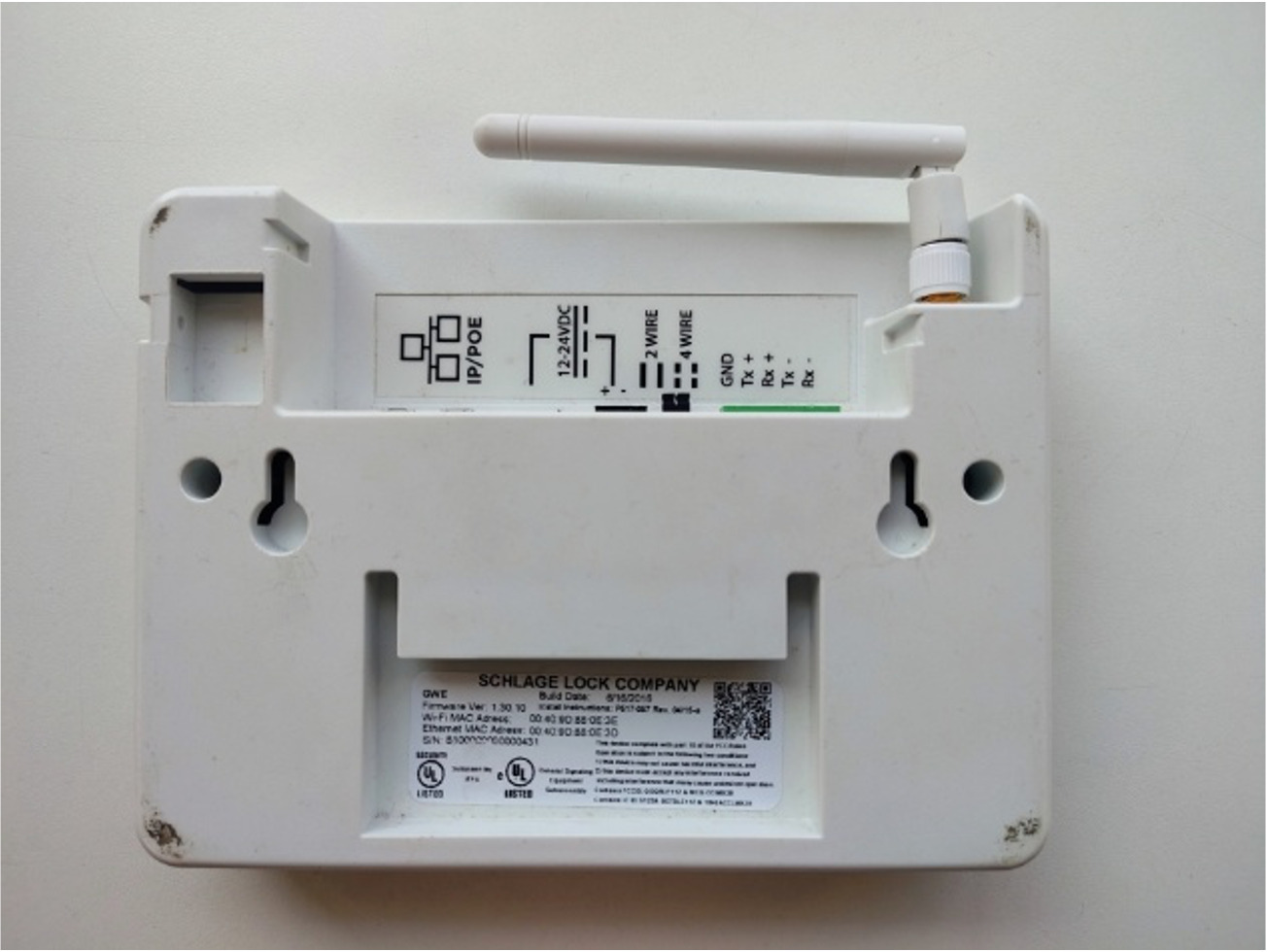
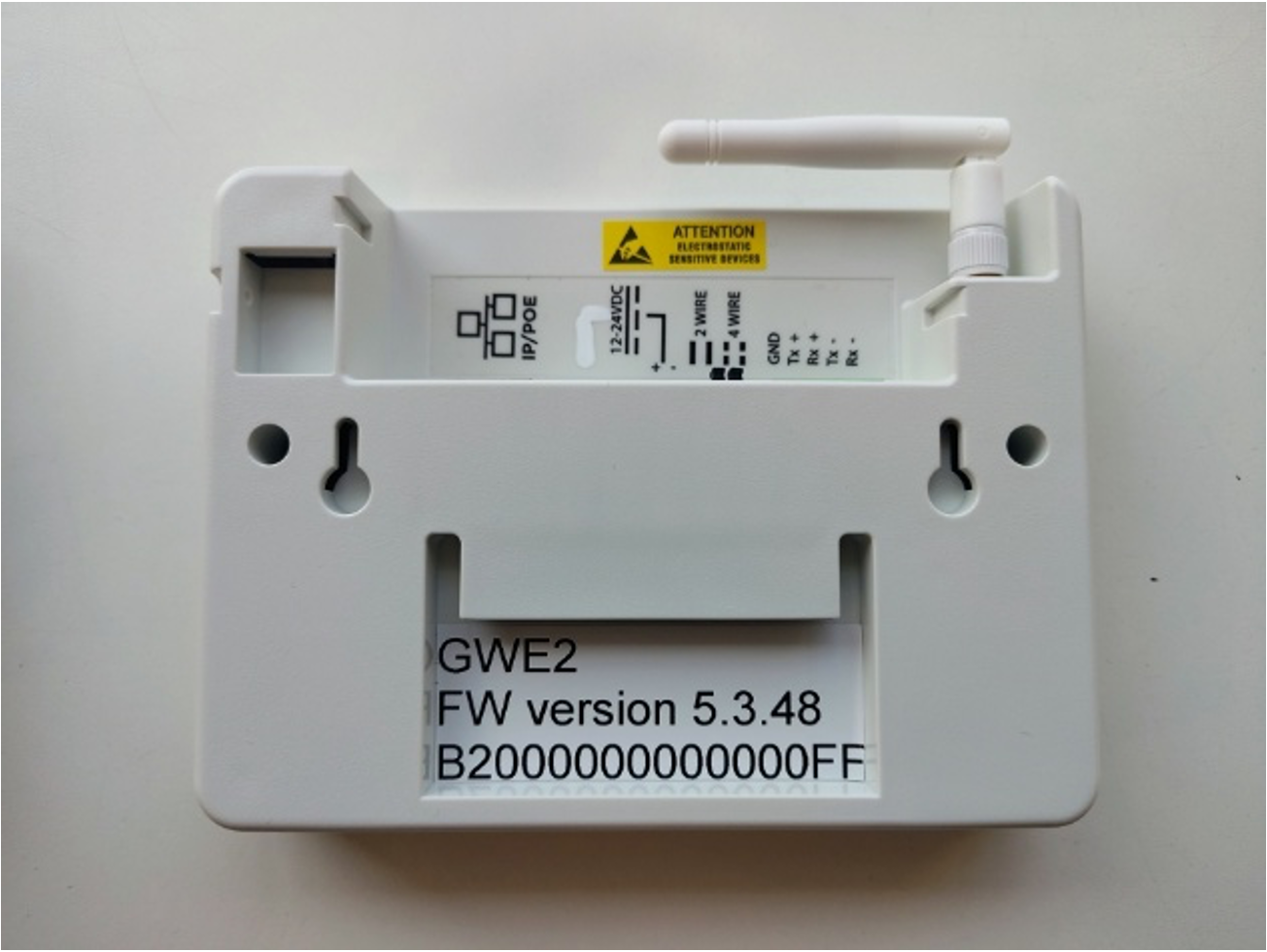
The main physical differences are:
Antenna: GWE2 has a smaller antenna (2.5 inches vs 3.5 inches) with equivalent signal strength
Serial number: GWE2 serial numbers start with “B2” (GWE starts with “B1”)
Labeling: GWE2 has an orange sticker on the product and packaging for easy identification
Power adapter port: GWE2 does not have an external power adapter port (use PoE or ACP 2-wire DC)
Wiring label: RS-485 connection labeling has been updated to standard nomenclature