Allegion Developer Portal
Allegion Developer Portal

| REVISION CONTROL RECORD | |||
|---|---|---|---|
| VER | Date | DESCRIPTION OF CHANGE | AUTHOR |
| 0.1 | 12/2/2015 | Initial draft | T. Anfield |
| 0.2 | 12/7/2015 | Add RFC 2104 Ref and Mobile App manual initiation information | T. Anfield |
| 0.3 | 1/11/2016 | Clarify SN parameter is Base64 encoded | T. Anfield |
| 0.4 | 1/14/2016 | Add in the minimum NDE FW Revision | J. Baumgarte |
| 0.5 | 6/29/2016 | Add note on SSL chain length limitation | T. Anfield |
| 0.6 | 12/6/2016 | Clarify individual key size limitation (2048bits) | T. Anfield |
| 0.7 | 11/3/2017 | - Addition of M. Dexter’s Gateway Certificate Install Procedure - Changed the name of this document to “ENGAGE™ Root Certificate Update | T. Holt |
| 1.0 | 7/19/2018 | - Updates to wording to remove ENGAGE “lock” and use “device” instead. All WiFi enabled ENGAGE devices support TLS1.0 or greater including MT20W and RURM. | T.Holt |
Table of Contents
Introduction 3
Updating a Device's Root Certificate 3
2.1 Process Overview 3
2.2 Certificate Update Info Request and Response 6
2.3 Certificate Considerations 7
Procedure to Install Certificate to Computer 8
Appendix: Gateway Root Certificate 18
| Abbreviations Used In This Document | |
|---|---|
| API | Application Programming Interface |
| DER | Distinguished Encoding Rules |
| ENGAGE™ | Connectivity Platform Technology |
| HMAC | Hash-based Message Authentication Code |
| HTTP | Hypertext Transport Protocol |
| HTTPS | HTTP Secure (HTTP over TLS) |
| JSON | Java Script Object Notation |
| MIME | Multipurpose Internet Mail Extensions |
| RFC | Request for Comments |
| RSA | Rivest-Shamir-Adleman cryptosystem |
| SHA-1 | Secure Hash Algorithm 1 |
| SHA-256 | Secure Hash Algorithm 2, digest of 256 bits |
| TLS | Transport Layer Security |
| URI | Uniform Resource Identifier |
| URL | Uniform Resource Locator |
This document describes the method by which a new root certificate can be installed within an ENGAGE enabled device as well as how to install the ENGAGE Gateway’s root certificate into a host computer.
Communication between the ENGAGE Gateway and an Alliance Partner host is secured by a certificate contained within the Gateway when the Gateway is acting as the Server. For certificate installation when the Gateway is the client, please see the Schlage ENGAGE – WebSockets App Note document.
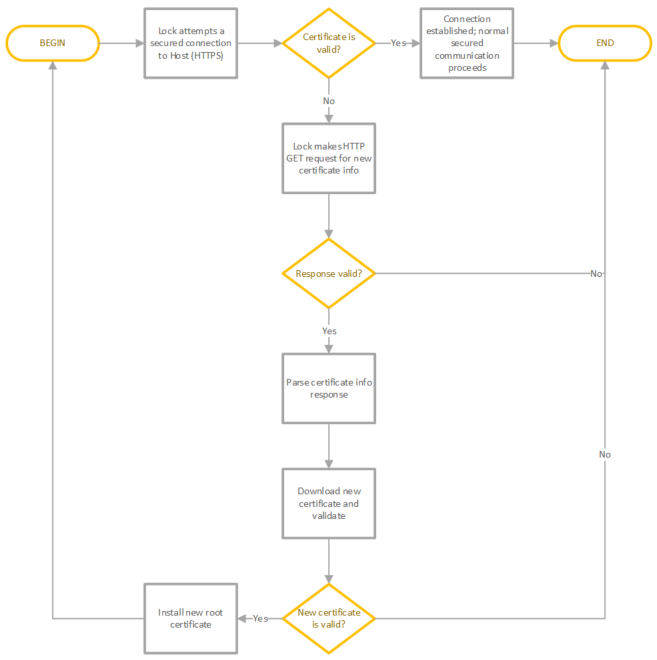
ENGAGE enabled products which support WiFi initiate communication to an Alliance Partner server over a TLS 1.0 or greater secured HTTP connection (HTTPS). Should a certificate validation error be detected during connection authentication, the device will automatically attempt to retrieve certificate update information over a standard HTTP connection. If available, this new certificate is downloaded and validated by the device to ensure security has been maintained before replacing its internal certificate with the updated certificate. Figure 1 illustrates the process.
Figure 1: ENGAGE Device Root Certificate Update Process
While fully automatic upon the devices’ next routine communication attempt, the process can be manually initiated as well in order to support immediate migration of the device to a new root certificate. Using the ENGAGE mobile application, a user can start the update by first connecting to the subject WiFi enabled device and then selecting “Update from Server” from the list of operations available.
Figure 2: Initiate Update via the ENGAGE Mobile Application
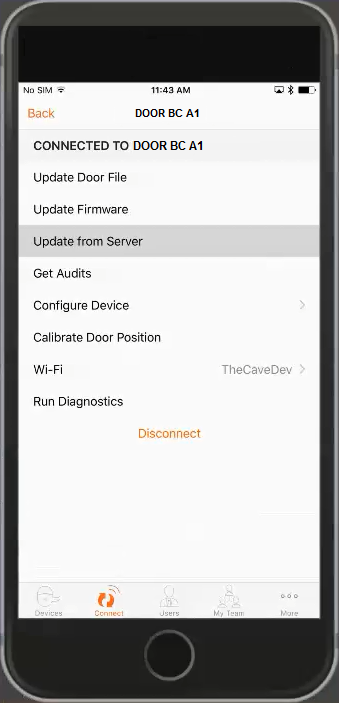
Performing this operation forces the device to attempt communication with the site server immediately, thereby commencing the root certificate update sequence as previously illustrated in Figure 1.
Upon a certificate validation error, an ENGAGE enabled device will perform a non-secured request for updated root certificate information. This standard HTTP GET request is made to the configured host (URL assigned during commissioning of the device) using the following format:
GET /swordfish/lock/certificates/current?serialNumber=\<devSN\>&hashtype=\<hashType\>&v=\<APIVer\>
URI Parameters
<devSN> = string (required)
<hashType> = string (optional)
<APIVer> = integer (required)
Example request:
http://oemdemo.cloudapp.net/swordfish/lock/certificates/current?serialNumber=AAAAAAAAAAChAAAAAAAAAA==&hashtype=primary&v=2
In order for the device to update its internal certificate, the host must respond to the request as follows:
Response:
HTTP status code [200](http://httpstatus.es/200)

    OK

    Body

        Type: application/json

        Body Content:

            { “cert_url”:“\<URLtoNewCertificate\>”,“hash”:“\<HMACValue\>” }

        Where

            <URLtoNewCertificate\> is the URL from which the device should retrieve the new certificate. When requested by
            the ENGAGE device, this certificate should be served as a DER encoded certificate file (binary).

            <HMACValue\> is a hash-based message authentication code computed for the new certificate using the SiteKey
            associated with the account. The algorithm used for authentication code generation must be HMAC-SHA1 as defined by
            [RFC 2104](https://tools.ietf.org/html/rfc2104). <HMACValue> should be the MIME Base64 encoding of the resultant HMAC.
Upon receipt of a valid response to its GET request for certificate update information, the ENGAGE device will attempt to download the new certificate from the specified location.
This certificate should be served to the ENGAGE device as a DER encoded certificate file (raw binary).
The certificate itself must be signed either with SHA1withRSA or SHA-256.
If the provided location is invalid, the format of the new certificate is not correct, or the device is unable to validate the new certificate successfully against the hash value provided, the process is terminated and the device will not update its internal certificate. The ENGAGE device will re-attempt the sequence upon a future secured connection attempt.
NOTE: the ENGAGE NDE and MT20W both have internal memory limitations on the length of the entire certificate chain supported during a TLS negotiation. These devices support a total chain length (top level root authority certificate + intermediate certificate(s) + SSL host certificate) of no longer than 4096 bytes. Chain lengths greater than 4096 bytes may cause the device to fail host communication, reporting a TLS Connection Error audit, at each attempt.
NOTE 2: In addition, no individual key size can be longer than 2048 bits.
Communication between an ENGAGE enabled device and an Alliance Partner server is secured by a certificate contained within the device. If necessary, this embedded certificate may be updated through the following process.
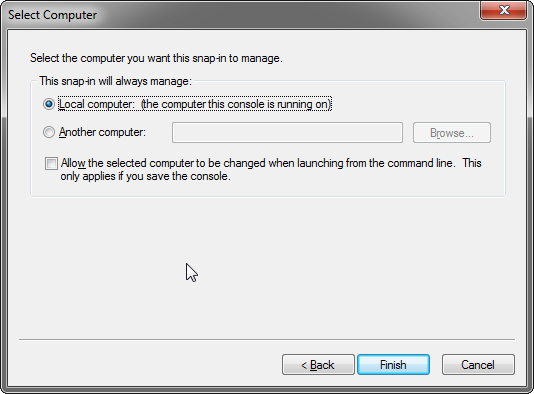
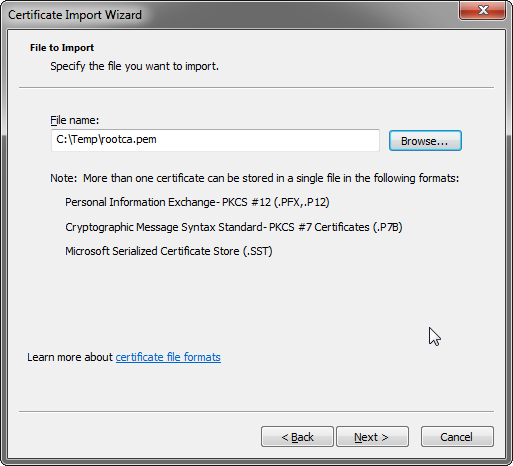
Save the PEM formatted text from the API doc into a file on your computer -- name it appropriately (for instance, rootca.pem).
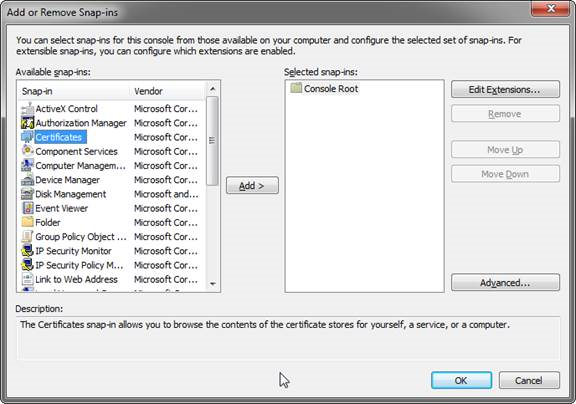
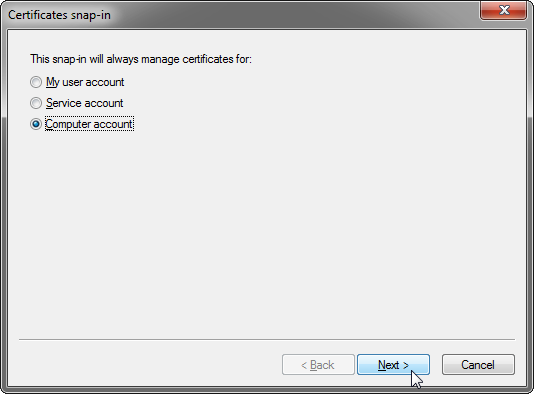
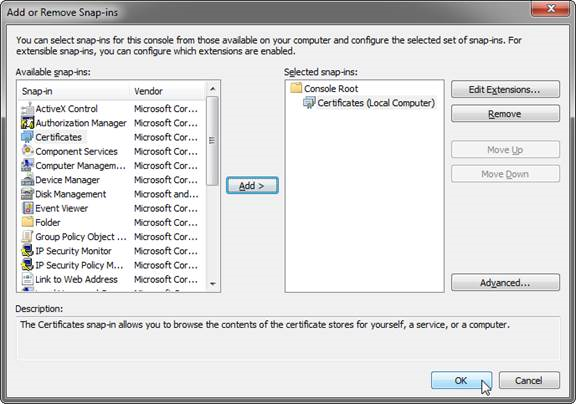
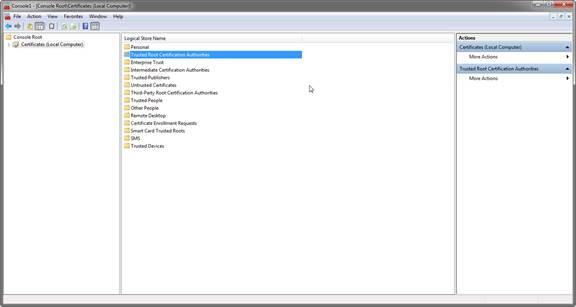
Open the MMC
Add a new certificate
.png)
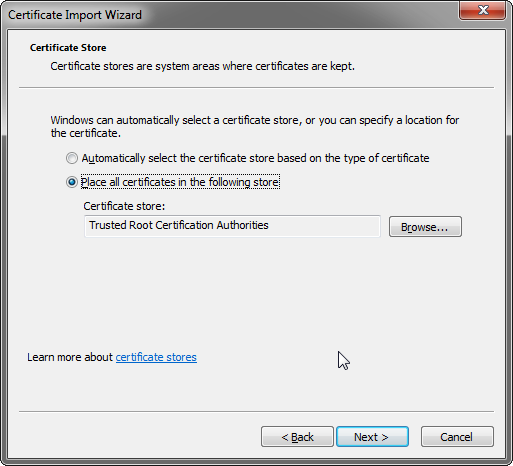
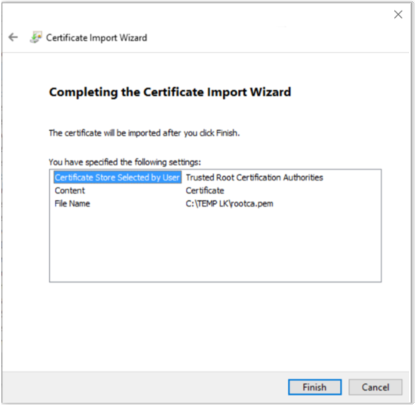
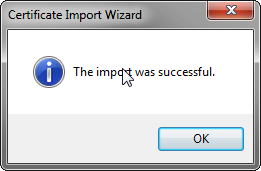
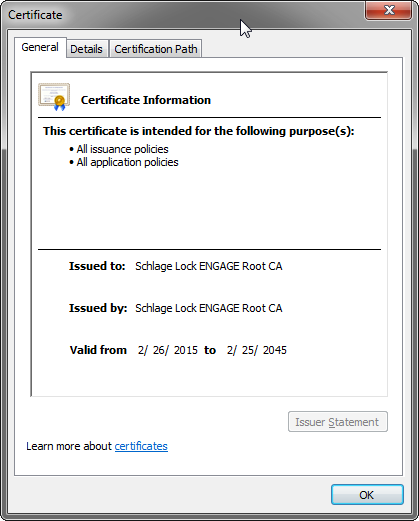
HOWEVER – Since the Gateway is listing the serial numbers in the certificate name, rather than the domain name, web browsers will display an error as shown below in Chrome with the ERR_CERT_COMMON_NAME_INVALID error.
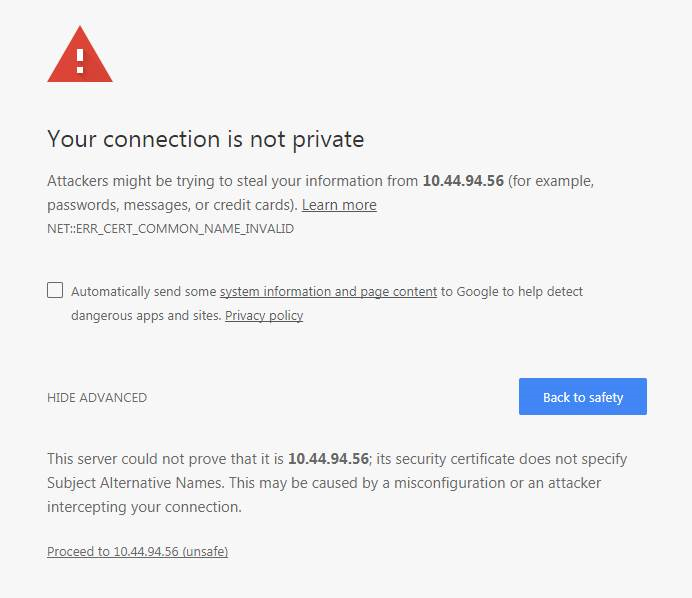
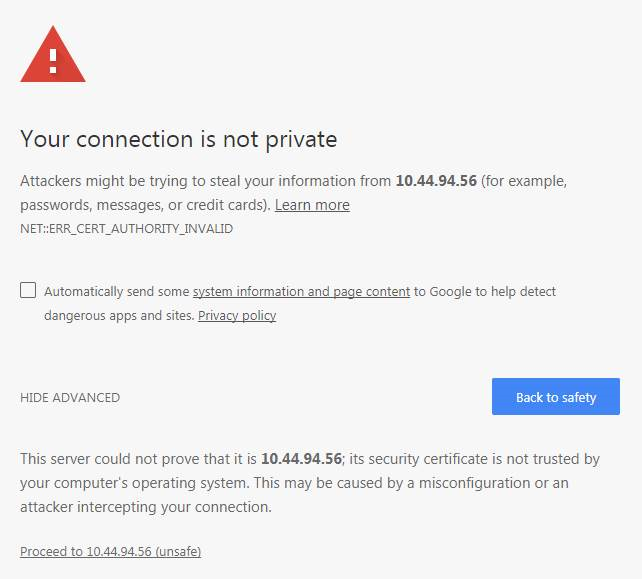
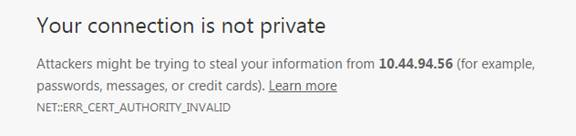
NOTE: The above error (after cert install) is different than the default error you would normally get below which would indicate an invalid certificate (ERR_CERT_AUTHORITY_INVALID):
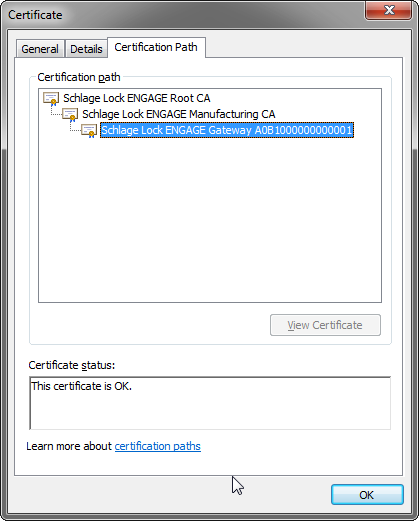
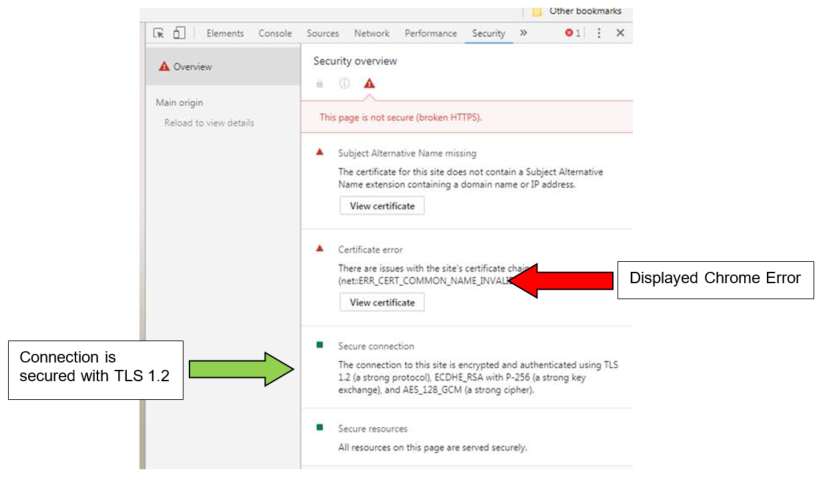
If you look at the security settings in Chrome (for instance) - it shows that there is a name mismatch (described above based on browser expectations), but that the connection is still encrypted by TLS:
Common Issues:
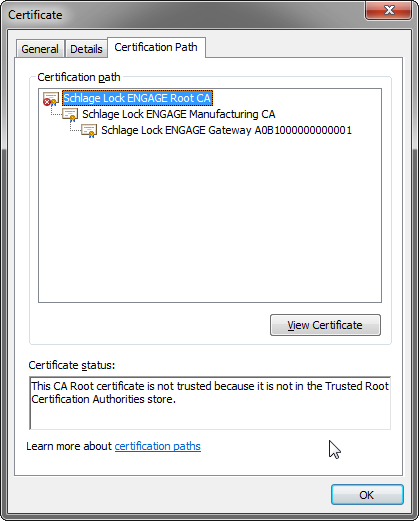
The root certificate corresponding to the Gateway’s certificate that is used by the IP-host client is included below in PEM format. This certificate is correct as of November 3, 2017. Please consult the Schlage – ENGAGE SAM API Integration document for the latest root certificate loaded in the ENGAGE™ Gateway.
-----BEGIN CERTIFICATE-----
MIID4jCCAsqgAwIBAgIBATANBgkqhkiG9w0BAQsFADCBkzELMAkGA1UEBhMCVVMx
CzAJBgNVBAgMAklOMSIwIAYDVQQKDBlTY2hsYWdlIExvY2sgQ29tcGFueSwgTExD
MS0wKwYDVQQLDCRTY2hsYWdlIExvY2sgQ2VydGlmaWNhdGlvbiBBdXRob3JpdHkx
JDAiBgNVBAMMG1NjaGxhZ2UgTG9jayBFTkdBR0UgUm9vdCBDQTAeFw0xNTAyMjYx
NzE5MTZaFw00NTAyMjUxNzE5MTZaMIGTMQswCQYDVQQGEwJVUzELMAkGA1UECAwC
SU4xIjAgBgNVBAoMGVNjaGxhZ2UgTG9jayBDb21wYW55LCBMTEMxLTArBgNVBAsM
JFNjaGxhZ2UgTG9jayBDZXJ0aWZpY2F0aW9uIEF1dGhvcml0eTEkMCIGA1UEAwwb
U2NobGFnZSBMb2NrIEVOR0FHRSBSb290IENBMIIBIjANBgkqhkiG9w0BAQEFAAOC
AQ8AMIIBCgKCAQEA1vYat3xi1R3NN7mKAAChlnWbva+2tIFiY5tWSU5UGzs3Ge7p
cFWZjns5Nkw89lFzKg7KazEhe6RkE+BIzJ/r1UxA8mCo2ZI9PEZgomrlRCvqpWdO
JO89UF0Psw/qPxzGMYl2ArhB3pSR7AUQrc9vdbysoRTMN9NG8ThJEcp2TJ3trw3e
bwK66DPW9CWCZb2jt+Tg4f7GZs0778JM8L7KSiNu8TjHlZlhg9UL5j9842u3Q8+c
pXT1Jh4pwcVYL6l4T9CrdLqJ8+RrrUIJB3jMOW3H9ws5yXgXNzegoY4U90bXHPLL
zqEYI5Zd9R5CoFIX/vmR/BfmjPhBDzinoyV0xwIDAQABoz8wPTAdBgNVHQ4EFgQU
7BeUZQJ22nthb6Ci7M4gANT2sgMwDwYDVR0TBAgwBgEB/wIBATALBgNVHQ8EBAMC
AQYwDQYJKoZIhvcNAQELBQADggEBALNW9eD5bO5GT3EQLB5gR7+CNAZH7cQJdJW3
7UI0s9ajFMYJfPVMRn/oENNRWAfFAYb8RcULqVQedTrDkmMV9o0bTq/COeg4OvVz
yXeLHuttx1HKOyyg4snDIGKd7zAXqMaS7fF4rwu2AEHIJvCa0cGI5s5mCX7NoF+Z
NtehAC/XbcbJOrmaSE33io0MZWa362MfOzXTjio8TpWwf1vAZOTjtkuKFHwUUuVY
CrSlQfZ3IKrgIfWjxHXX5HFFqyP9m1/U9/XQcvsyDEODXuyVpBc/ufOOCl4K9GYT
eUaA317YqoCVZmm9mO+j3SDy5NsgI+os5apwUTHrNwAv1U1DpIk=
-----END CERTIFICATE-----