Generating_a_Root_Pair_Certificate

Generating a Root Pair Certificate

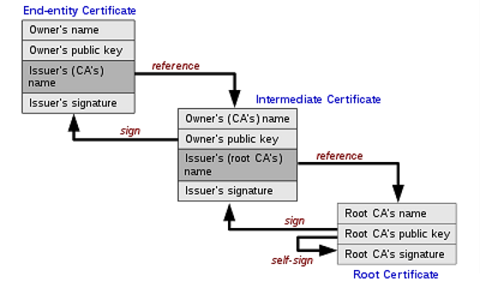
The Certificate Authority (CA) needs to create the root key and root CA, forming the top root pair for your CA. In general, the root key is not used to sign server or client certificates. The root CA is used to sign Intermediate CA’s which are then trusted to sign on behalf of the root CA.
Create a Directory to Store Keys and Certificates

  • Create demo folder for storage

Generate the CA and the Server Certificate

  • Download and install OpenSSL
    • It is an open source library that provides tools for creating digital SSL/TLS certificates
    • In this example of generating CA and Server Certificates, use this tool.
    • https://www.openssl.org/source/

Generate a 2048 bit RSA Key for the Root CA

This key should be stored in the ca.key folder.

Command

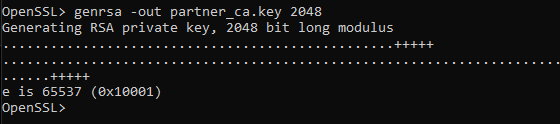
  • OpenSSL> genrsa -out partner_ca.key 2048

Image Example

Generate CA Certificate

Command

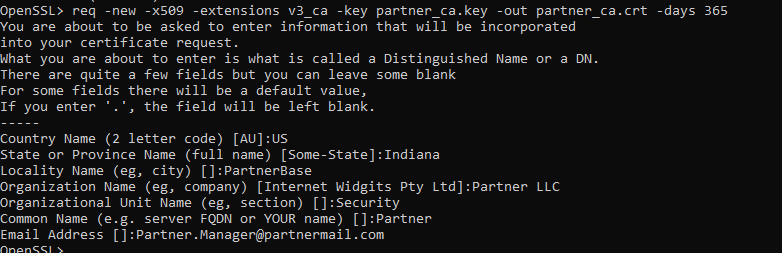
  • OpenSSL> req -new -x509 -extensions v3_ca -key partner_ca.key -out partner_ca.crt -days 365

    • Input site specific certificate information
    • Organization Name must be the same for all certificates generated in the chain
    • NOTE: Common Name is VERY important and needs to be unique to each key and certificate

Image Example

CA der Format

Convert CA certificate to der format

Command

  • OpenSSL> x509 -outform der -in partner_ca.crt -out partner_ca.der -days 365

Image Example

Generate Server Key

Command

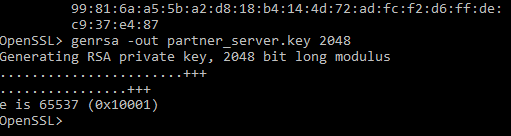
  • OpenSSL> genrsa -out partner_server.key 2048

    • input server specific certificate information

Image Example

Generate Server CSR

Command

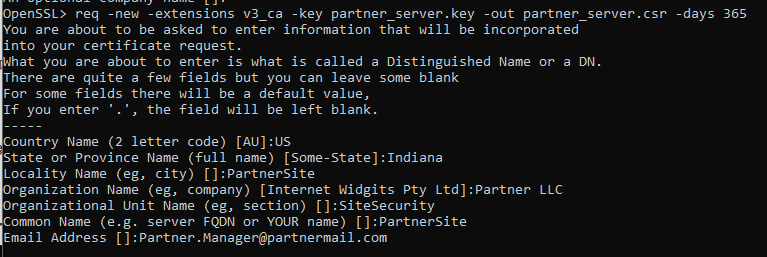
  • OpenSSL> req -new -extensions v3_ca -key partner_server.key -out partner_server.csr -days 365

Image Example

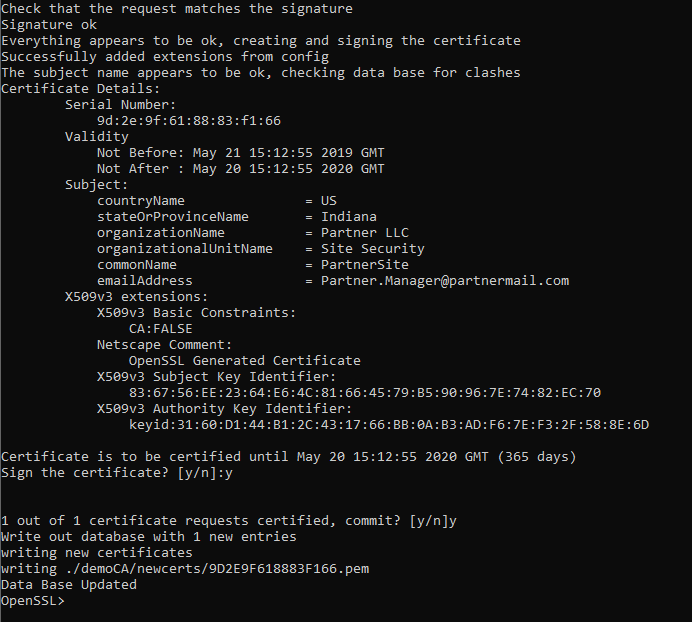
Generate the Server Pem

Command

  • ca -verbose -in partner_server.csr -out partner_server.pem -cert partner_ca.crt -keyfile partner_ca.key -days 365

Image Example