Allegion Developer Portal
Allegion Developer Portal

Replacing a credential swaps one credential for another that carries the same access assignments as the original credential and blocks/deletes all access from the original (lost or destroyed) credential. This feature is most useful when credentials are damaged/broken or when the original credential is lost.
IMPORTANT WARNING: An old or LOST credential is still valid at previously programmed doors until the lock is presented with the replacement No Tour credential or a new device sync (door file update) is performed.
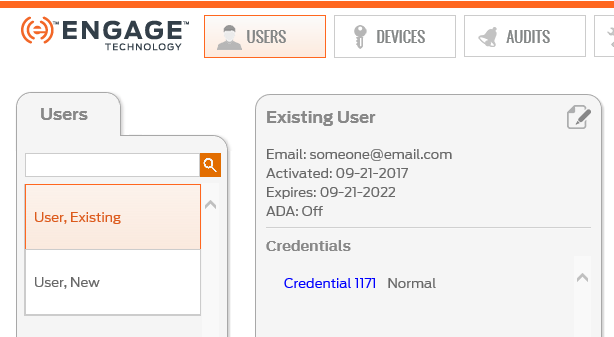
NOTE: In this case Credential 1171 is to be removed from the system and replaced with a credential that is available in stock (previously enrolled).
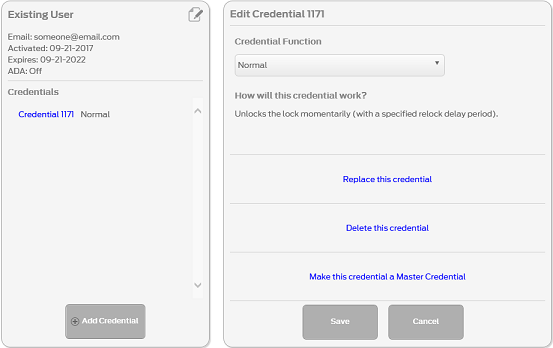
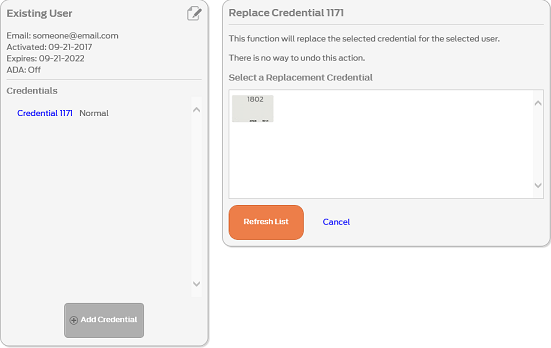
NOTE: If no credentials are available for replacement, you must enroll a credential now. See Enroll Credentials.
WARNING: Physically verify the ink stamp on the physical credential matches the assigned credential from the stock list before Confirming the Replacement.
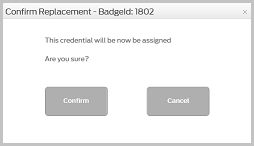
VERIFY SUCCESS

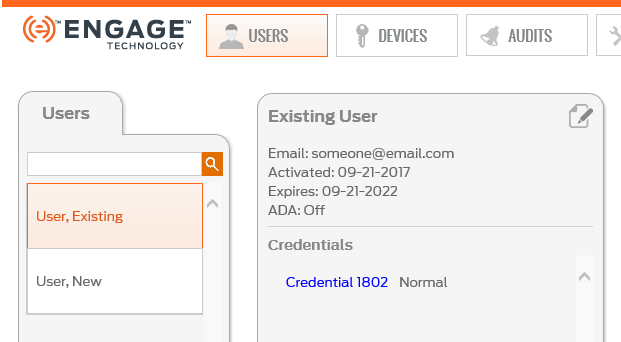
NOTE: The  ICON by the credential indicates the credential now needs programming with the Schlage MT20W.
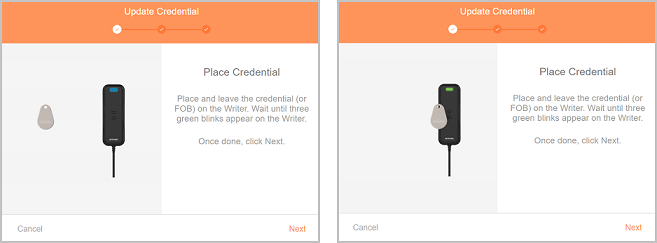
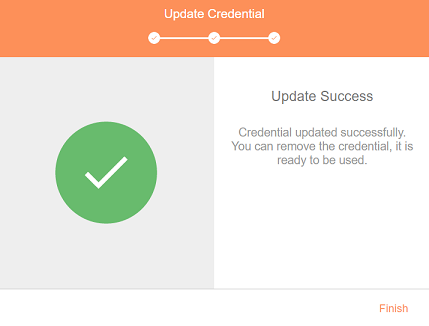
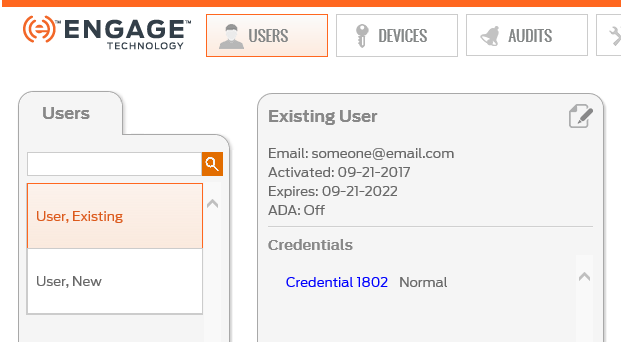
NOTE: The ICON by the credential is removed, indicating the credential was programmed successfully and has no additional programming required.
NOTES:
 indicating the affected locks that require Sync with new access programming.