Allegion Developer Portal
Allegion Developer Portal

It is possible to quickly enroll credentials into ENGAGE using only the MT20W Reader. This method of credential enrollment allows bulk enrollments into stock that can be selected and assigned later to individual Users.
NOTE: Property Administrators need to keep track of and manage the physical credentials that are enrolled to ensure they are available when needed for programming.
NOTE: The MT20W takes a few seconds to boot-up and begin communicating. The LED is solid BLUE when the MT20W is ready for use.
NOTE: The MT20W LED turns GREEN and beeps once when the credential is enrolled into the Select Existing Credentials tab found in the ENGAGE Web Application.
NOTE: We chose credentials 1171, 1802, 2886 and 5998 for enrollments in this example.
VERIFY SUCCESS
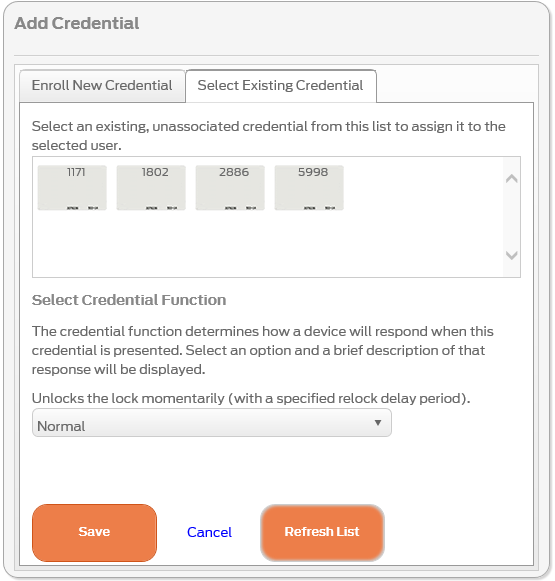
NOTE: If the credential you want is not listed, you may need to select the Refresh List button to view a newly added credential.
NEXT STEPS:
Credentials enrolled with this method are enrolled into ENGAGE for assignment later. Property Administrators still need to follow these steps to complete the process: