Allegion Developer Portal
Allegion Developer Portal

A "Found" credential that was enrolled using the Schlage MT20W can be identified by entering the badge ID (or ink stamp) in the Badge ID search feature.
When a credential is not in the database a "Badge Id Not Found" message displays.
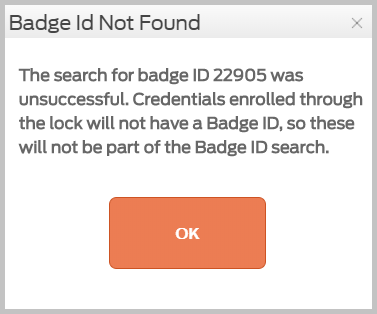
WARNING: If the credential was initially enrolled using an installed device instead of the Schlage MT20W, it is not search-able in the ENGAGE database and cannot be found there.
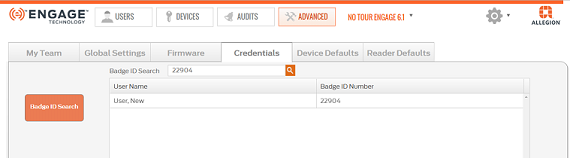
VERIFY SUCCESS