Allegion Developer Portal
Allegion Developer Portal

Download and install the latest version of Python for your hosted server.
Obtain the latest Python 3.7.x version from: - https://www.python.org/downloads/release/python-370/
Once the downloaded installation setup wizard starts, you will be asked to select either Install Now (default) or Customize installation.
.png)
Select Customize installation and check the box at the bottom of the pop-up window to Add Python 3.7 to PATH.
Check additional boxes as shown in the next screen.
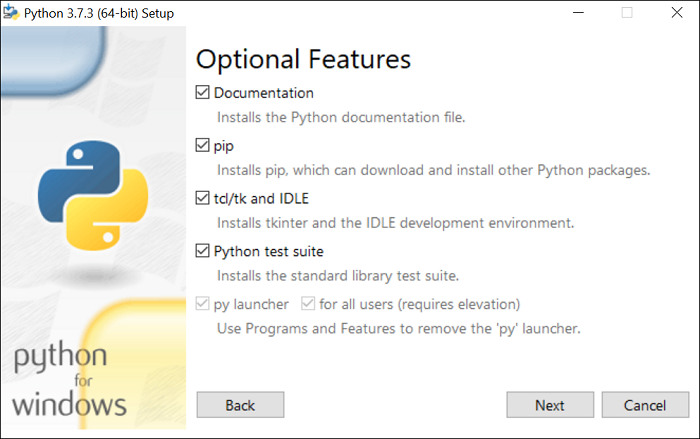
Click Next
On the next screen you will see Advanced Options
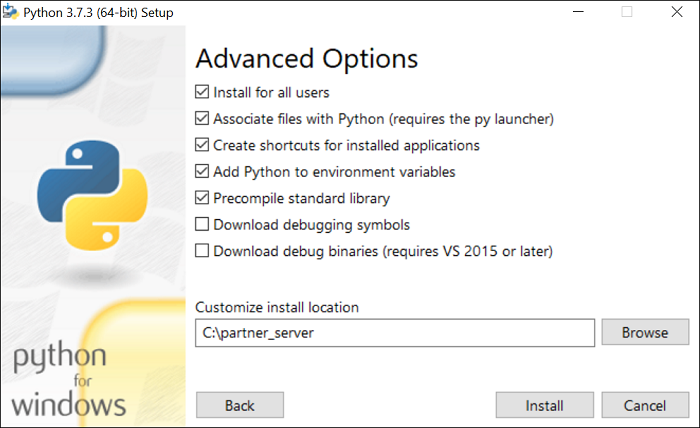
Enter the directory path; C:\partner_server in the Customize install location field.
Click Install to complete the installation.
Once Python is installed, two (2) environmental variables need to be defined.
In the Windows search bar, type "environmental variables". The following window displays:
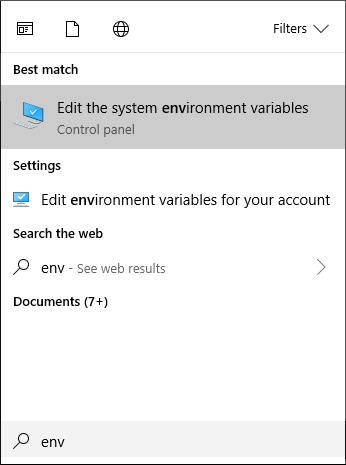
Click on "Edit the system environment variables". The System Properties window displays:
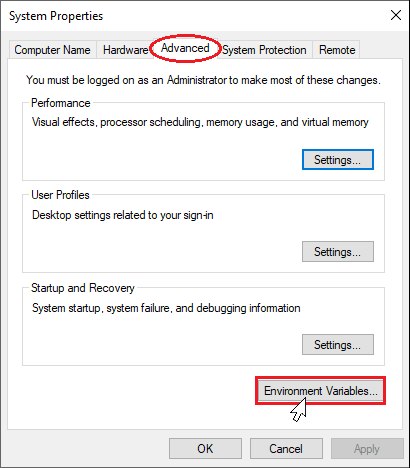
Select "Advanced" tab.
Click on "Environment Variables" button. The Environment Variables window displays:
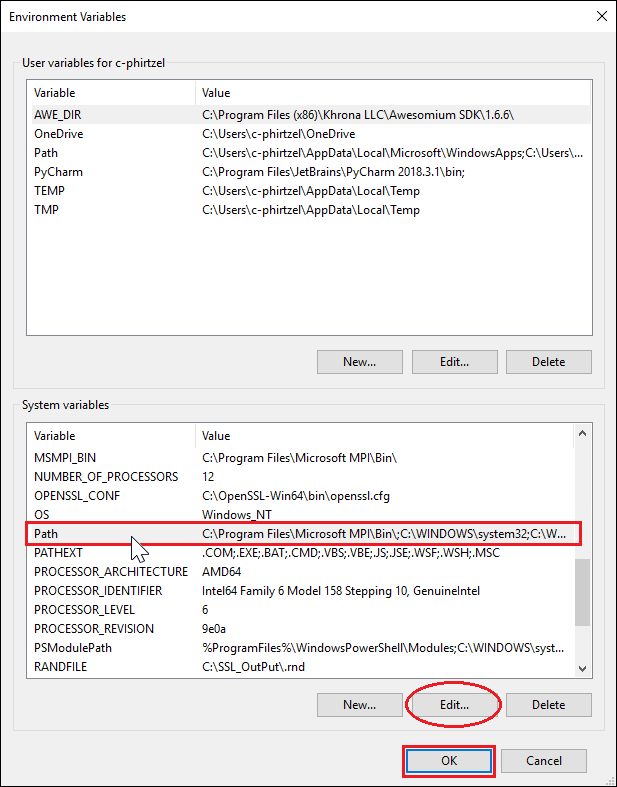
Highlight the System variable "Path".
Select "Edit..."; the Edit environment variable window displays over the top of the Environment Variables display.
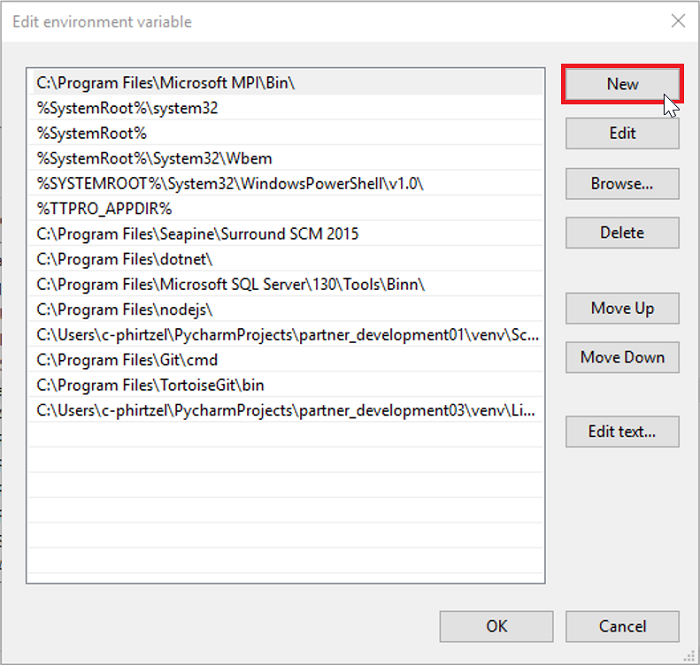
Select “New” to add the first of two (2) environmental variables.
Add *C:\partner_server* to the list.
Select “New” for the second environment variable.
Add *C:\partner_server\Scripts* to the list. The following results are displayed:
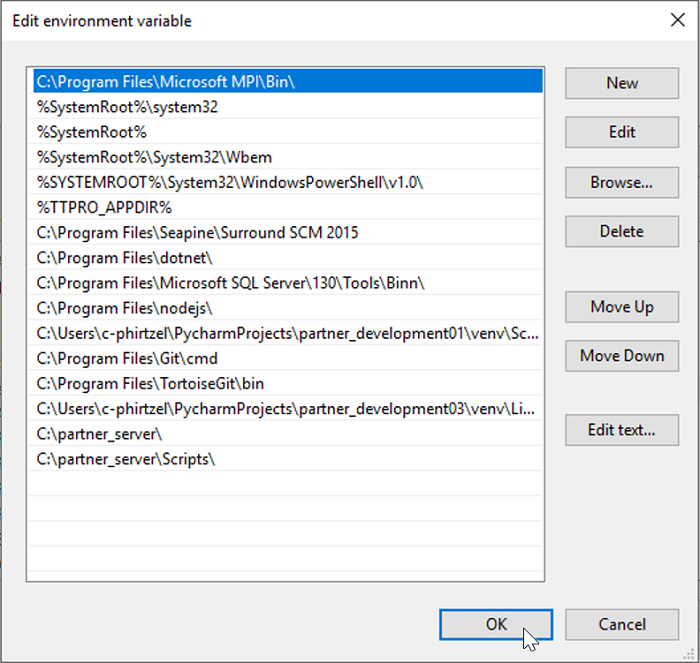
Select OK – to close Path edit
Select OK – to close Environment Variables
Select Ok to close System Properties.
Shutdown and restart the PC to refresh the System Environment Variables.
Flask is a Python add-on that allows partner-managed devices to communicate over WiFi to the management server systems.
Flask must be installed into the Python system for WIFI sockets to function.
Close any partner servers running.
Enter these Commands:
Exit()
_window.png)
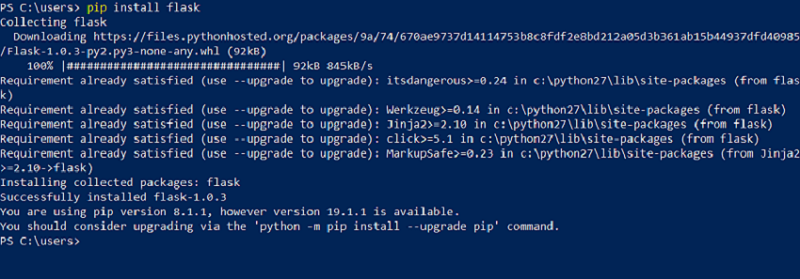
pip install flask
Restart the servers from the server install procedure